

Broadcom says this is just a “re-enforcement” of its license terms. But the license text did not change by a single word — what changed is whether you can download the thing.
1. This Is Not a Broken Page
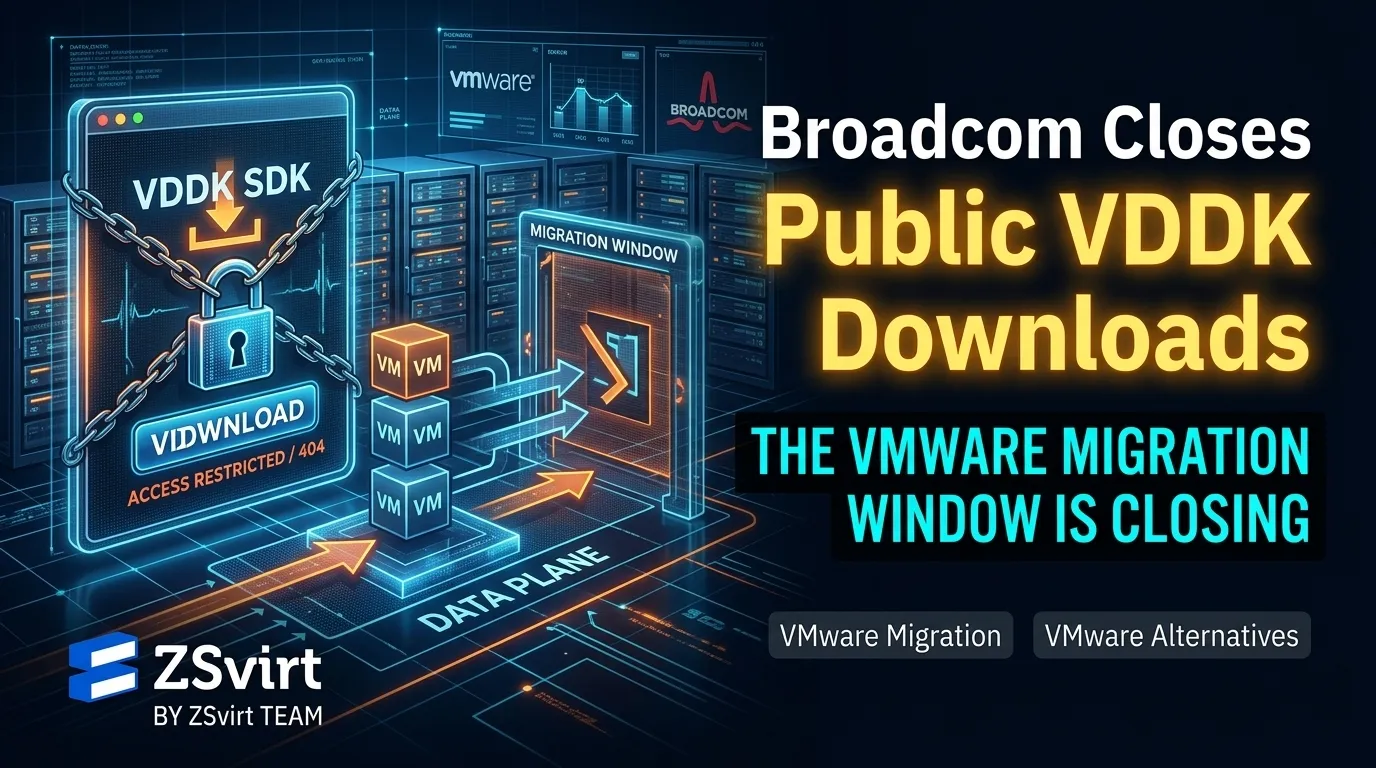
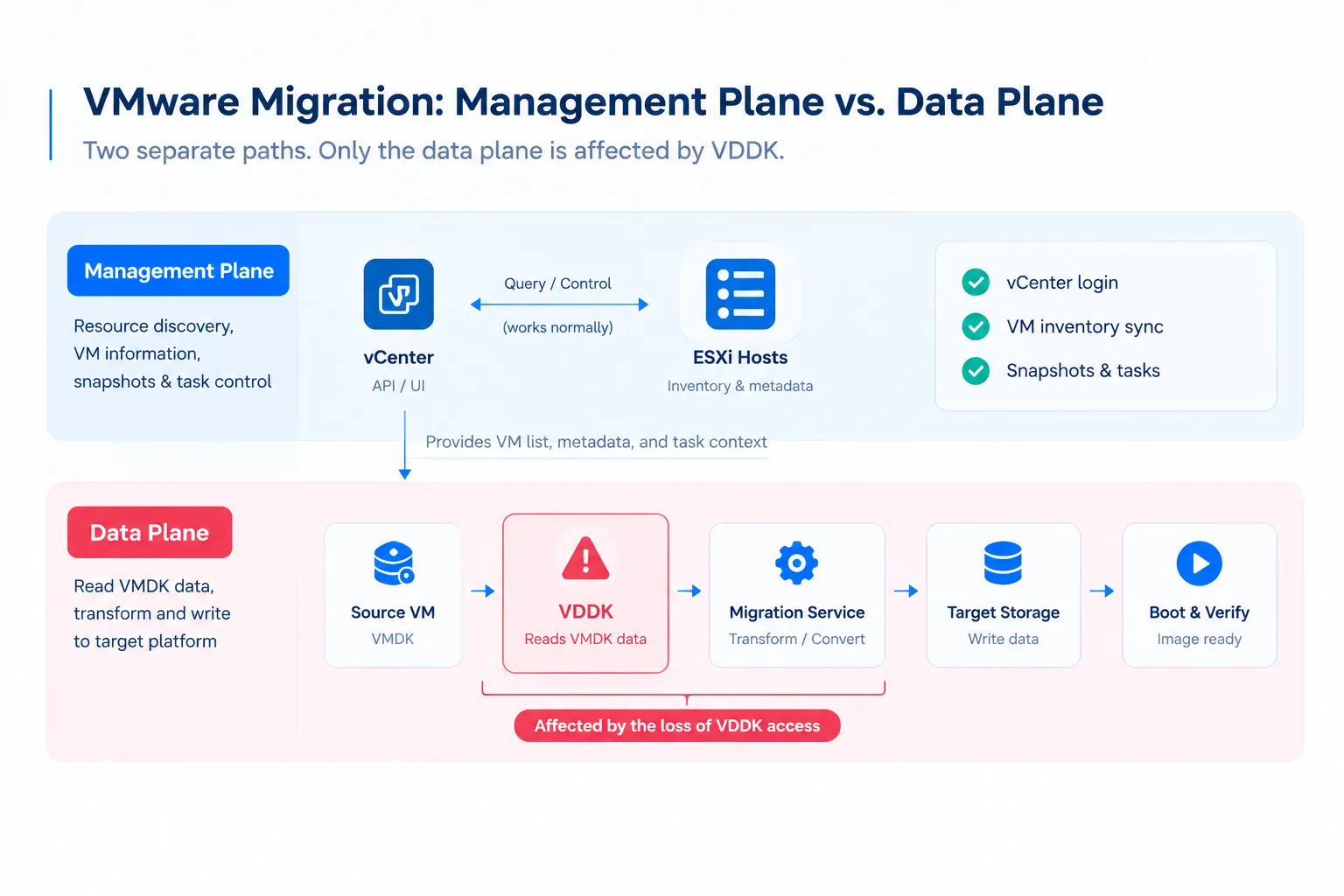
In mid-August 2026, the VDDK (Virtual Disk Development Kit) download page on Broadcom’s developer portal went dark. The versioned paths — /latest, /8.0, /9.0 — returned the same error, and the TechDocs programming guide disappeared with it. CIO.com reported that the files were pulled from the Internet Archive and the download page excluded from the Wayback Machine. A purely technical adjustment rarely needs to go that far.
In September, Broadcom confirmed the change to TechTarget: VDDK’s approved use case under its SDK license has always been backup and recovery solutions from TAP (Technology Alliance Program) partners, and removing public downloads merely “re-enforces” those terms. Broadcom also stated plainly that the VDDK is not a customer entitlement.
Translated out of the press language: “Re-enforcing the license terms” — the license text is unchanged, only the ability to obtain it; “not a customer entitlement” — your ability to migrate was never in the contract; “the approved use case is backup and recovery” — migration is not on that list, even though VDDK is widely used for exactly that.
At the support desk the answer is blunter. A customer was told the VDDK “is no longer available for use or download”, justified as ensuring “the highest standard of security, reliability, and product features,” and advised to “rely on such solutions from Broadcom authorized technology alliance partners.” The ticket closed with one line:
There is no pending action from our end hence this case will be archived now.
Do not wait for a fix — this is a licensing position, not an incident report. Existing copies still work, and current installations and in-flight replications are not affected, but rebuilding a migration host, standing up a new environment, or onboarding a new vCenter puts you back at a 404. And “we’ll mirror it internally” does not work either — the VDDK license does not permit redistribution.
This is not confined to one vendor’s tooling: Azure Migrate, Nutanix Move, and Apache CloudStack all directed users to that now-dead page.
2. Control Plane Reachable Does Not Mean Data Plane Readable
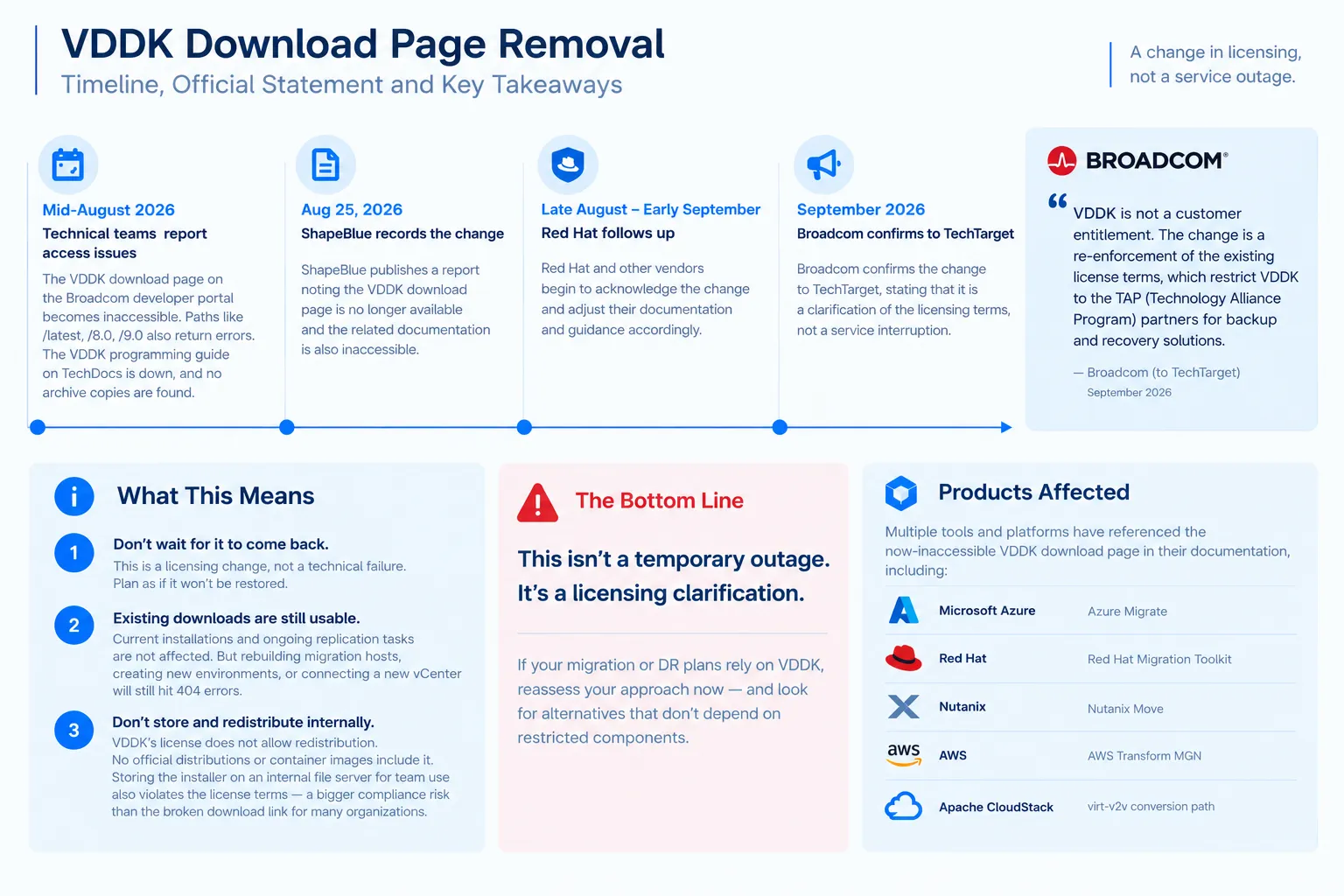
The control plane is whether you can talk to the vCenter API and sync the VM inventory; the data plane is whether you can actually pull the bytes out of the VMDK. They are routinely conflated, but not equivalent: a healthy vCenter does not mean a migration task will run — the tool still has to read the source VM’s disk and convert or write it to the target. That is the link VDDK sits on.
That is what makes it easy to underestimate. Your vCenter logs in tomorrow, your dashboards render, your VMs keep running. Nothing appears to have changed — until the day you actually try to leave.
For live or incremental migrations, VDDK is often paired with Changed Block Tracking to read only the blocks that changed. Losing it therefore affects more than a one-time format conversion: it reaches full disk replication, incremental sync, and the final catch-up before cutover.
Two clarifications: backup and recovery products from TAP partners are not affected — what needs re-confirming are the tools that ask customers to download and upload the VDDK themselves. Also, VDDK is not the only way to read a VMDK — what matters is which mechanism your product, at your version, actually uses.
3. What This Means for Your Organization
The same closed download means very different things depending on where you are today:
| Your current state | Actual impact |
|---|---|
| A migration is already running | Unaffected, let it finish. Do not rebuild the migration host or reinstall the environment mid-flight. |
| You downloaded and kept a VDDK copy | Your existing copy works. Pin the version, verify the hashes, and confirm your licensing covers it. |
| New environment or project planned, tooling not yet prepared | Highest impact. You need a compliant acquisition path first, or a migration method that does not depend on VDDK. |
| Never downloaded it, no copy retained | The public channel is closed. Use another compliant route, or choose a non-VDDK approach. |
| You also run third-party backup products | TAP-partner backup products are unaffected; tools that ask you to upload VDDK yourself need re-confirming. |
The second row is the one most often overlooked: “I downloaded it once” is not the same as “I can get it again” — rebuilding a migration host, expanding an environment, or kicking off a new project turns that old download into an open action item.
For business-critical systems, few organizations choose a one-shot export with a long outage. They replicate in full, continuously sync the deltas, then cut over in a low-traffic window. That approach places heavier demands on the source-side read path — if the tool depends on VDDK, losing that access affects the speed at which you can leave VMware, not the stability of running it. So evaluating an alternative cannot stop at the target platform’s price; it also depends on whether you can reliably read VMDK data out of the existing environment, whether incremental migration and low-downtime cutover are supported, and whether a failed migration can be safely retried.
4. Migrate While You Still Can
All of the preparation above points at one conclusion — and that conclusion has a time window.
First, the copy you have still works. As long as you do not rebuild the migration host, expand the environment, or onboard a new vCenter, the existing installation will finish the jobs it was set up for. That window is real, and it will not stay open indefinitely.
Second, the acquisition path has already shifted from “download” to “confirm.” Broadcom has pointed both the approved use and the access route for VDDK at its partner program. For an organization outside that program, obtaining it may no longer be a matter of downloading a file — it may require a defined, compliant channel. How that channel works, and how long it takes, depends on the organization. What is already certain is that it is no longer a piece of technical preparation you can complete on your own. The worst time to start confirming where your tooling comes from is the month you must be finished, after the primary path has already closed.
Third, the signal matters more than the component. A dependency can have its public access removed — with no advance notice, no migration guidance, and no alternative download — while the vendor states publicly that it was never your entitlement. The licensing and pricing adjustments of recent years point in the same direction as this change to the access route.
So the practical advice reduces to one line: if you can migrate, migrate now.
Not as a scare tactic. It is simply this: while every link in the chain still works, a migration is an engineering project. Once one of those links is no longer under your control, the migration picks up a prerequisite you cannot manage yourself.
Sources
- Broadcom confirms it revoked public VMware migration tool access — TechTarget
- Broadcom Removes VDDK Pages Without Explanation — ShapeBlue
- Broadcom hampers VMware migration by blocking downloads of key SDK — CIO.com
- Broadcom Kills Public VDDK Access — It’s FOSS
- Broadcom just removed the VDDK — Cloudar