
A USB 3.2 device on a host is recognized as USB 2.1. How do I resolve this?
Symptom
A USB 3.2 device is recognized as USB 2.1 on the host.
Cause
USB 3.0 support is not enabled in the host BIOS.
Solution
-
Log in to the host and run the
lsusbcommand to check whether the host recognizes the USB device correctly. -
Verify that the USB port being used on the host is correct.
-
Migrate all virtual machines off the host, then restart the host and check whether USB 3.0 support is enabled in the BIOS configuration.
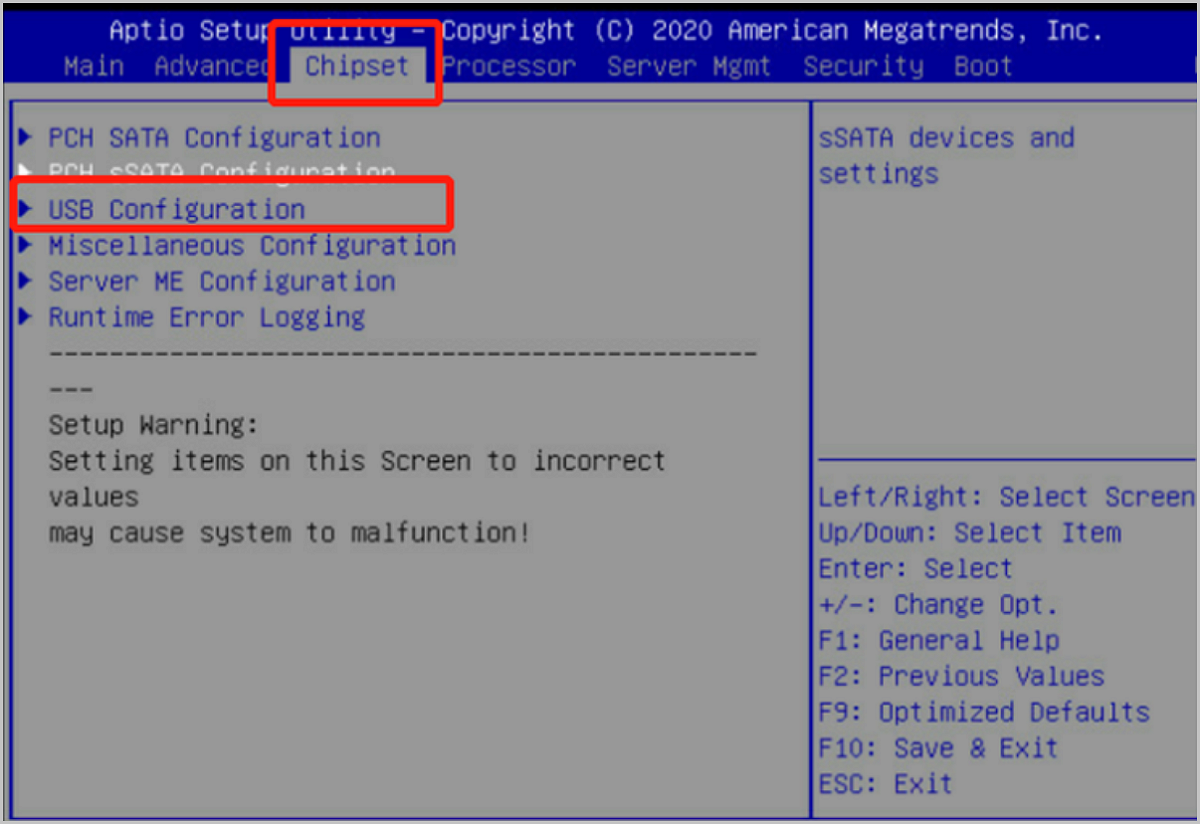
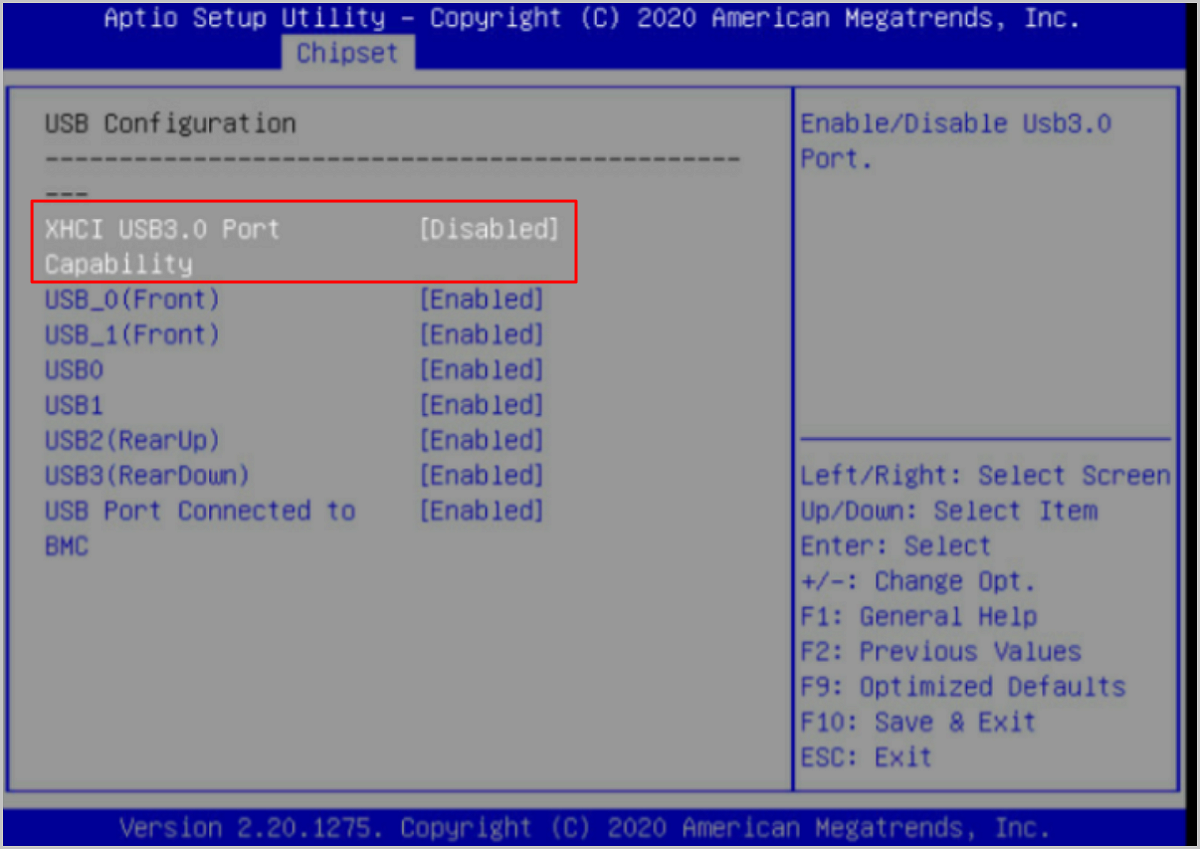
-
Set the XHCI USB 3.0 Port to Enable. The host will then correctly recognize the USB device version.